
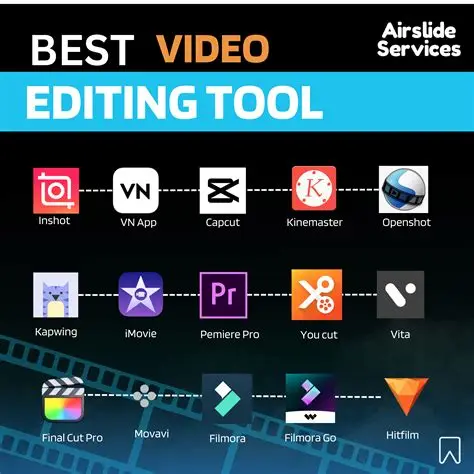
Video content dominates every major social media platform. Whether you’re creating Instagram Reels, TikTok videos, YouTube Shorts, or promotional content for your business, high-quality editing can make your videos stand out.
The good news is that you don’t need expensive software to produce professional-looking videos. Many free video editing apps offer advanced features like AI-powered editing, automatic captions, transitions, color grading, and high-resolution exports.
In this guide, we’ll explore the best free video editing apps you can start using today.
Why a Good Video Editor Matters
A well-edited video keeps viewers engaged and increases watch time. Better watch time often leads to better performance on social media algorithms.
A good editor helps you:
- Create professional-looking videos
- Add captions automatically
- Improve audio quality
- Apply smooth transitions
- Add music and effects
- Export in HD or 4K
- Save time with AI features
1. CapCut
Best For: Short-form content creators
CapCut remains one of the most popular free editing apps because it’s simple, powerful, and packed with AI features.
Key Features
- AI captions
- Auto cut
- Background removal
- Trending transitions
- Motion effects
- Filters
- Large music library
- 4K export
Pros
- Beginner-friendly
- Fast editing
- Excellent templates
- Great for Reels and Shorts
Cons
- Some advanced features require an account
- Certain templates may not be available in every region
Best Platform: Android, iPhone, Windows, Mac
2. DaVinci Resolve
Best For: Professional creators
If you’re serious about YouTube or filmmaking, DaVinci Resolve offers features found in expensive editing software.
Key Features
- Professional color grading
- Motion graphics
- Audio editing
- Visual effects
- Multi-camera editing
Pros
- Extremely powerful
- Hollywood-quality tools
- Free version is feature-rich
Cons
- Steeper learning curve
- Requires a capable computer
3. VN Video Editor
Best For: Beginners and intermediate creators
VN Video Editor has become popular because it combines simplicity with powerful editing tools.
Features
- No watermark
- Keyframe animation
- Multi-layer timeline
- Speed control
- Smooth transitions
- Text animations
Pros
- Easy to learn
- Fast exporting
- Great user interface
Cons
- Smaller music library compared to some competitors
4. Canva Video Editor
Most people know Canva for graphic design, but its video editor is excellent for creating social media content.
Features
- Drag-and-drop editing
- Brand kits
- Thousands of templates
- Stock videos
- Text animations
- AI design tools
Pros
- Perfect for marketers
- Easy to use
- Excellent templates
Cons
- Advanced video editing is more limited than dedicated editors
5. Adobe Express
Adobe Express is ideal for creating promotional videos quickly.
Features
- Social media templates
- AI image generation
- Text animations
- Brand customization
- Quick resizing
Pros
- Fast workflow
- Great for businesses
- Cloud-based editing
Cons
- Some premium assets require a subscription
6. iMovie
Apple users still have one of the best free editors available.
Features
- Cinematic mode
- Green screen
- Built-in soundtracks
- Smooth transitions
- 4K support
Pros
- Completely free
- Easy interface
- Reliable performance
Cons
- Available only on Apple devices
Comparison Table
| App | Best For | Difficulty | Free Version |
|---|---|---|---|
| CapCut | Reels & Shorts | Easy | Yes |
| DaVinci Resolve | Professional editing | Advanced | Yes |
| VN Video Editor | Beginners | Easy | Yes |
| Canva | Marketing videos | Easy | Yes |
| Adobe Express | Social media graphics | Easy | Yes |
| iMovie | Apple users | Easy | Yes |
Tips for Better Video Editing
Even the best editing app won’t help if your content lacks structure. Follow these tips:
Start with a Strong Hook
Capture attention in the first three seconds.
Add Captions
Many users watch videos without sound. Captions improve accessibility and engagement.
Keep It Short
Aim for concise videos that maintain viewer interest throughout.
Use Trending Audio Carefully
Popular audio can increase discoverability, but ensure it fits your content naturally.
Maintain Consistent Branding
Use consistent fonts, colors, and editing styles so viewers recognize your content.
Which App Should You Choose?
Choose based on your needs:
- CapCut: Best for Instagram, TikTok, and YouTube Shorts.
- DaVinci Resolve: Ideal for professional long-form videos.
- VN Video Editor: Great all-around option for mobile editing.
- Canva: Excellent for branded and marketing content.
- Adobe Express: Perfect for quick promotional videos.
- iMovie: A strong choice for Apple users.
Frequently Asked Questions
Are free video editing apps good enough?
Yes. Many creators with large audiences use free editors for daily content.
Which app is easiest for beginners?
CapCut and VN Video Editor are among the easiest to learn.
Can I edit 4K videos for free?
Yes. Several free apps, including DaVinci Resolve and iMovie, support 4K editing.
Which app is best for Instagram Reels?
CapCut is one of the most popular options for creating Reels because of its templates, AI tools, and export quality.
Final Thoughts
Creating engaging videos no longer requires expensive software. Whether you’re a beginner posting your first Reel or a business building an online presence, there’s a free video editor that fits your workflow.
Start with an app that matches your experience level, focus on clear storytelling, and practice consistently. As your skills grow, you can explore more advanced features without needing to invest in costly software right away.